|
|
|
|
|
Back to Session Reminders
|
|
We’re back to session for 2026; deadlines are looming for 1st year bills still in their house of origin and calendars are busy! Be sure you’re prepared with this short list:
- Enable your Scheduled Reports
- Set your Last Review filters
- Review What’s New in CapitolTrack
|
|
|
|
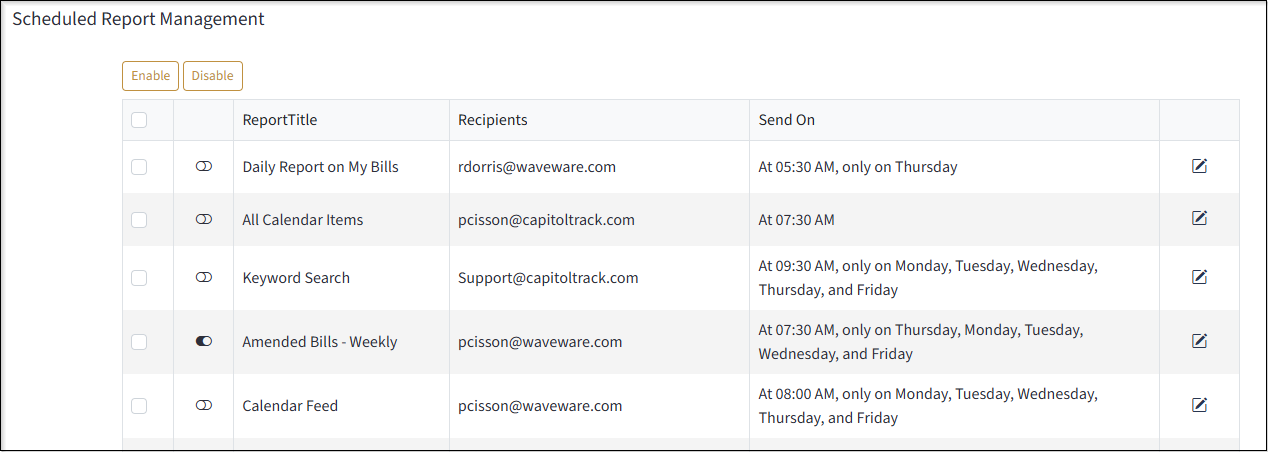
Enable your Scheduled Reports by Clicking on your Username, then Settings and Tools and finally Scheduled Report Management. Use the left column to check the reports which you’d like to re-enable for the new year and click ‘Enable’ above the table.
|
|
|
|
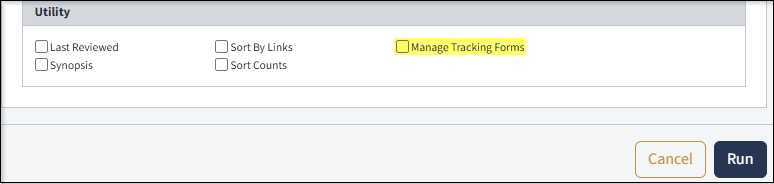
Set Last Reviewed Filters under the Report View screen. Un-check the Manage Tracking Forms option under Utilites to ensure you have the option to mark bills Reviewed en mass.
|
|
|
|
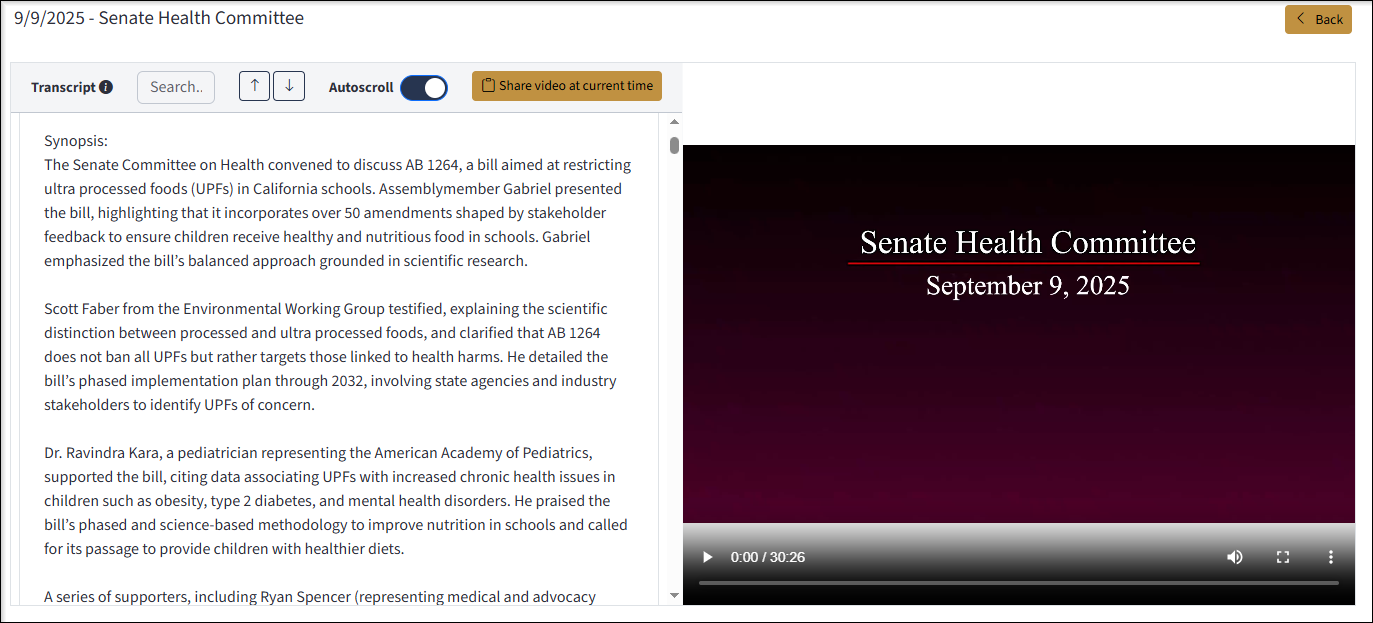
Hearing Synopsis Did you know we have videos of Assembly and Senate hearings with a Synopsis? Click on Members/CMTES/VIDEOS and search for a hearing. Read a list of speakers, the measures discussed and a synopsis of the hearing above the full hearing transcript! You can also search for phrases or names, and click on a word in the transcript to advance the video to that time-stamp!
|
|
What’s New: If you missed out on the debut of our hearing transcripts or their synopses, be sure to check ‘What’s New’ under your username at the top-right of the screen. Find a list of the new features we’ve added with a short description of each.
|
|
|
|
|